> For the complete documentation index, see [llms.txt](https://lti.gitbook.io/user_guide/llms.txt). Markdown versions of documentation pages are available by appending `.md` to page URLs; this page is available as [Markdown](https://lti.gitbook.io/user_guide/zh-cn/yong-hu-zhi-nan/zhang-hu-xiang-qing/tong-ji-ye-mian.md).

# 统计页面

在此页面，您可以查看主账户或投资账户的交易统计摘要。

投资者也可以在订阅主账户之前，通过此页面查看该主账户的交易信息，以辅助其作出跟单决定。

该页面包含以下模块：

### 概览

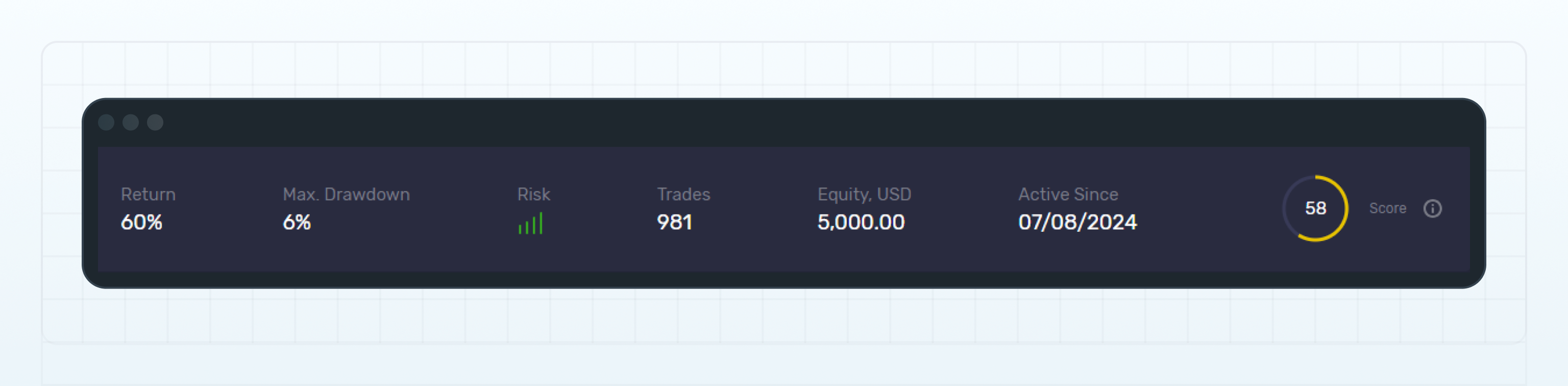
<figure><img src="https://1963181118-files.gitbook.io/~/files/v0/b/gitbook-x-prod.appspot.com/o/spaces%2FNxwcNnEuBTBq87kginPk%2Fuploads%2Fgit-blob-0f6cadc25042fe14ac0180d2a234347e0dd07fe0%2Ffront-statistics-overview.png?alt=media" alt="Overview widget"><figcaption><p>Overview widget</p></figcaption></figure>

该模块显示以下信息：

#### 收益率

账户自创建以来产生的收益或亏损，以百分比表示。收益率反映账户净值的变化，不受入金和提款影响。

***

**‍最大回撤**

账户历史上出现的最大回撤。

***

‍**风险**

系统为该账户计算的风险等级。

***

‍**交易数量**

账户中未平仓和已平仓头寸的总数。

***

**‍净值（USD）**

账户中的资金总额，以 USD 计价，包括未平仓头寸的浮动盈亏以及经纪商存入账户的资金。

***

#### 启用日期

账户的创建日期。

***

#### 评分

账户获得的评分。系统根据账户的多项交易指标计算评分，包括收益率、最大回撤、盈利因子等。

有关详细信息，请参阅**评分计算**。

### 图表

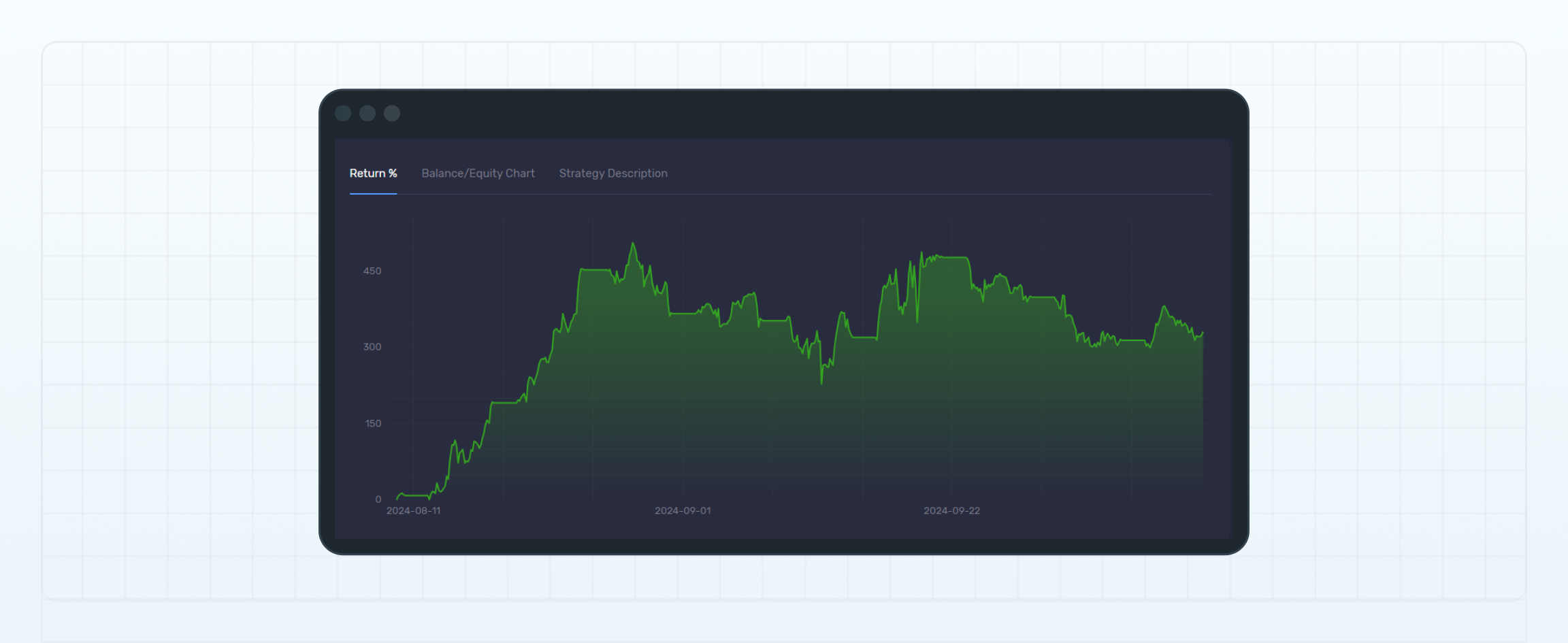
<figure><img src="https://1963181118-files.gitbook.io/~/files/v0/b/gitbook-x-prod.appspot.com/o/spaces%2FNxwcNnEuBTBq87kginPk%2Fuploads%2Fgit-blob-b94609b57320d89c013c57f634c415430f5f878f%2Ffront-statistics-charts.png?alt=media" alt="Charts widget"><figcaption><p>Charts widget</p></figcaption></figure>

该模块包含折线图，用于显示账户自创建以来的收益率、余额和净值变化。

策略说明（Strategy Description）**选项卡仅适用于主账户，其中显示该账户所采用的交易策略说明。主账户所有者可以在**设置（Settings）页面填写其交易风格或策略说明。

### 跟单投资者

<figure><img src="https://1963181118-files.gitbook.io/~/files/v0/b/gitbook-x-prod.appspot.com/o/spaces%2FNxwcNnEuBTBq87kginPk%2Fuploads%2Fgit-blob-8845acf5ddafe35808a8af9ce519e21b780e68bb%2Ffront-statistics-followers.png?alt=media" alt="Followers widget"><figcaption><p>Followers widget</p></figcaption></figure>

*仅适用于主账户。*

该模块显示当前已订阅该主账户的投资账户数量，以及过去 7 天内新增订阅和取消订阅的账户数量。

此外，该模块还会显示管理资产总额（AUM）。

### 费用

*仅适用于主账户。*

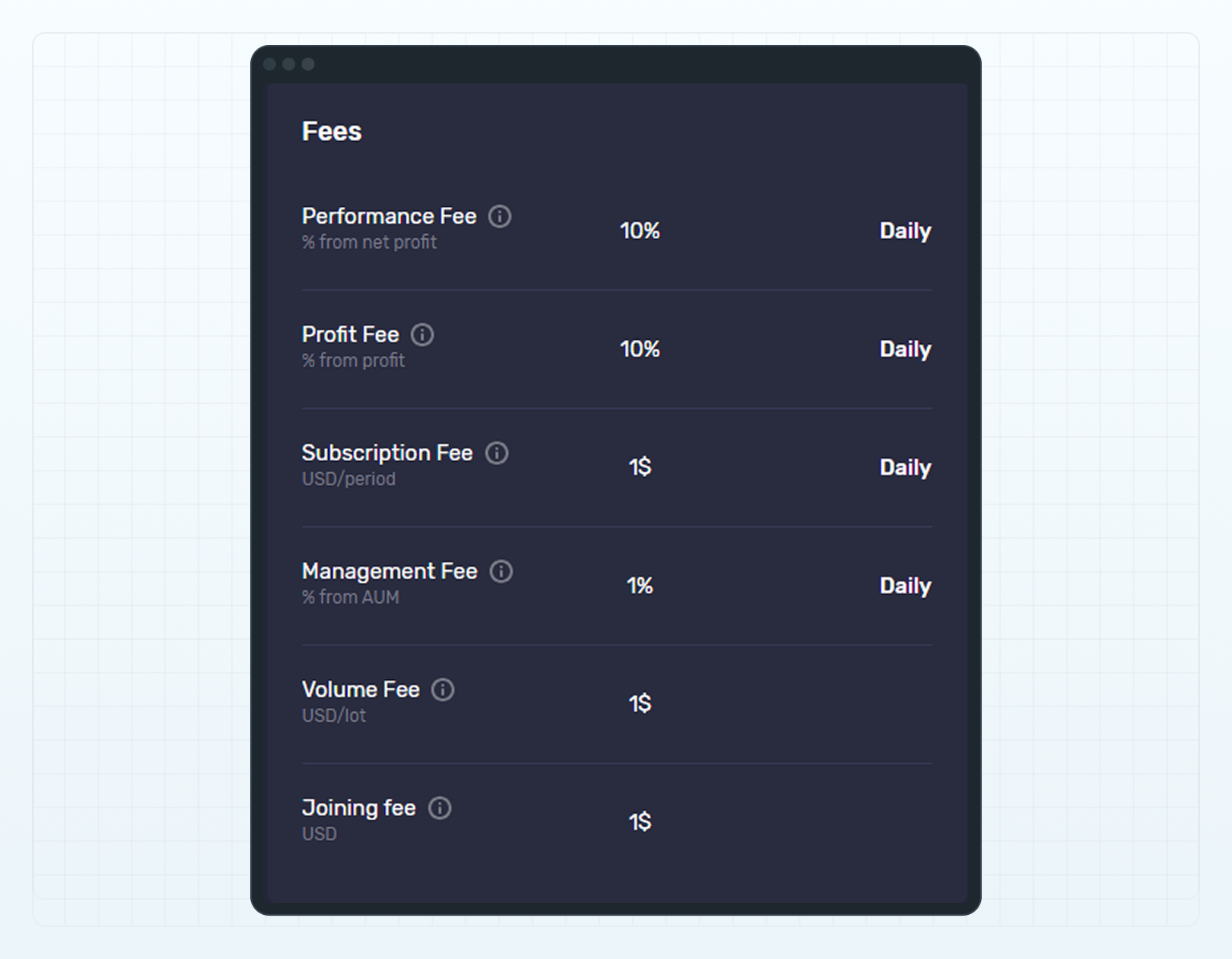
该模块显示主账户的费用方案。投资者订阅主账户时，需要接受该费用方案。

<figure><img src="https://1963181118-files.gitbook.io/~/files/v0/b/gitbook-x-prod.appspot.com/o/spaces%2FNxwcNnEuBTBq87kginPk%2Fuploads%2Fgit-blob-97551a8ab45b83df271fcbf5d5c4945c2a9de705%2Ffront-statistics-fees.png?alt=media" alt="Fees widget"><figcaption><p>Fees widget</p></figcaption></figure>

### 月度收益率

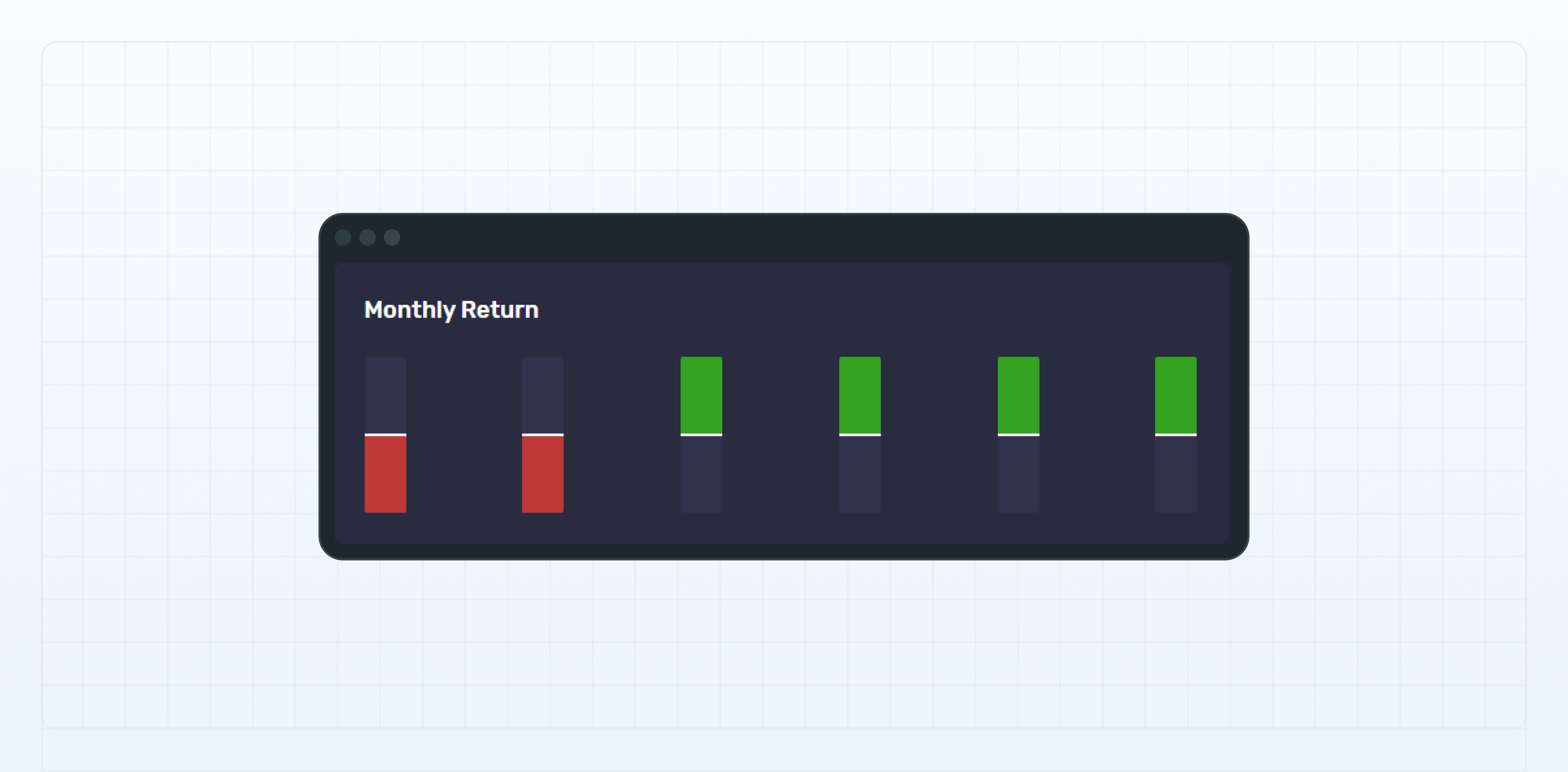
该模块包含柱状图，用于显示账户在以下不同周期内的收益率：

* 1 周
* 1 个月
* 3 个月
* 6 个月
* 12 个月
* 18 个月

<figure><img src="https://1963181118-files.gitbook.io/~/files/v0/b/gitbook-x-prod.appspot.com/o/spaces%2FNxwcNnEuBTBq87kginPk%2Fuploads%2Fgit-blob-d965ca0ee261342b5b5c47a20f0870e08d956ca8%2Ffront-statistics-monthly-return.png?alt=media" alt="Monthly Return widget"><figcaption><p>Monthly Return widget</p></figcaption></figure>

### 交易品种

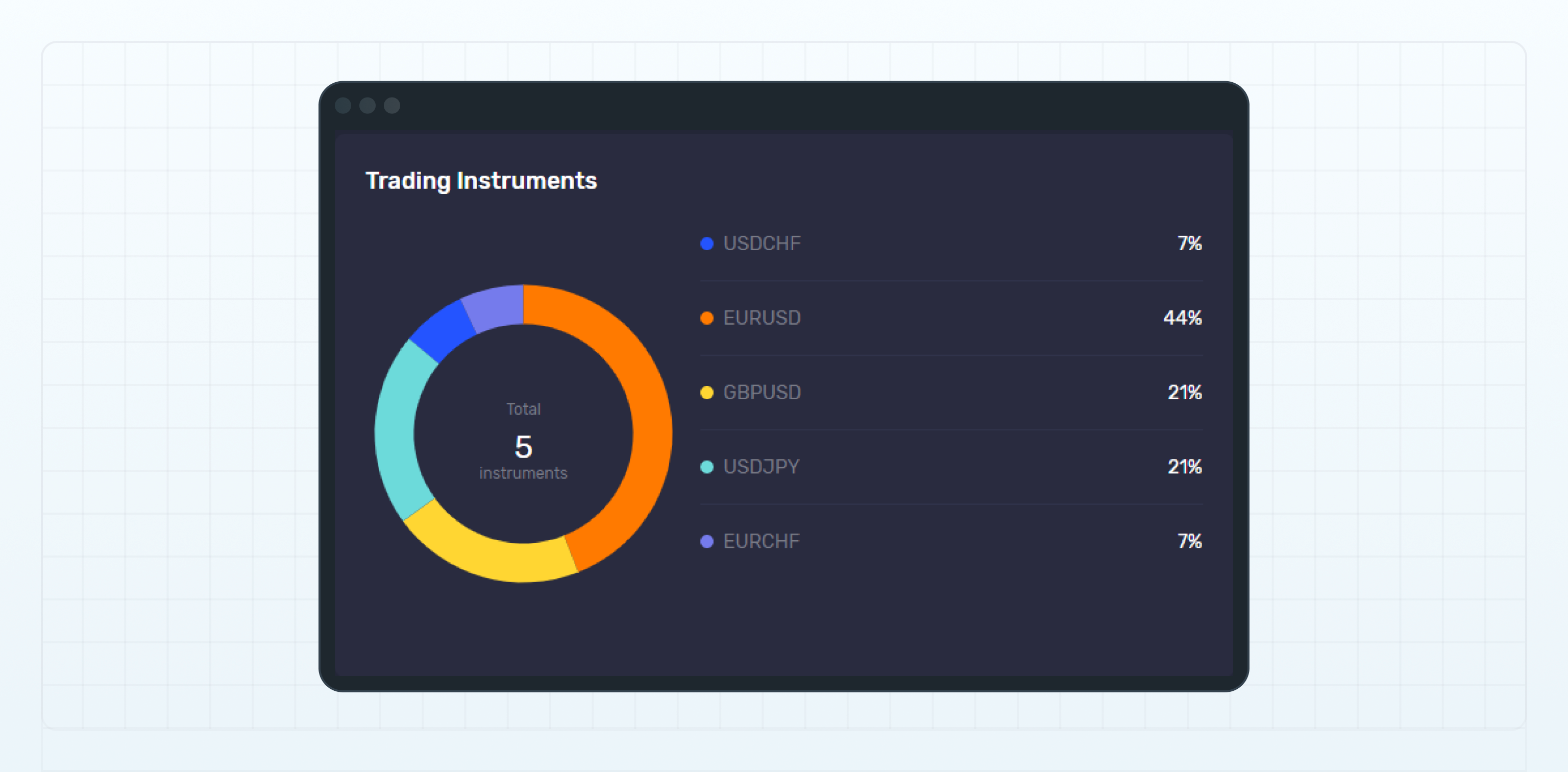
该模块包含饼图，用于显示已交易品种的数量及各品种的使用比例。

<figure><img src="https://1963181118-files.gitbook.io/~/files/v0/b/gitbook-x-prod.appspot.com/o/spaces%2FNxwcNnEuBTBq87kginPk%2Fuploads%2Fgit-blob-c9d6438472e058f19e2a30023b81146c29fee2dd%2Ffront-statistics-trading-instruments.png?alt=media" alt="Trading Instruments"><figcaption><p>Trading Instruments</p></figcaption></figure>

### 交易统计

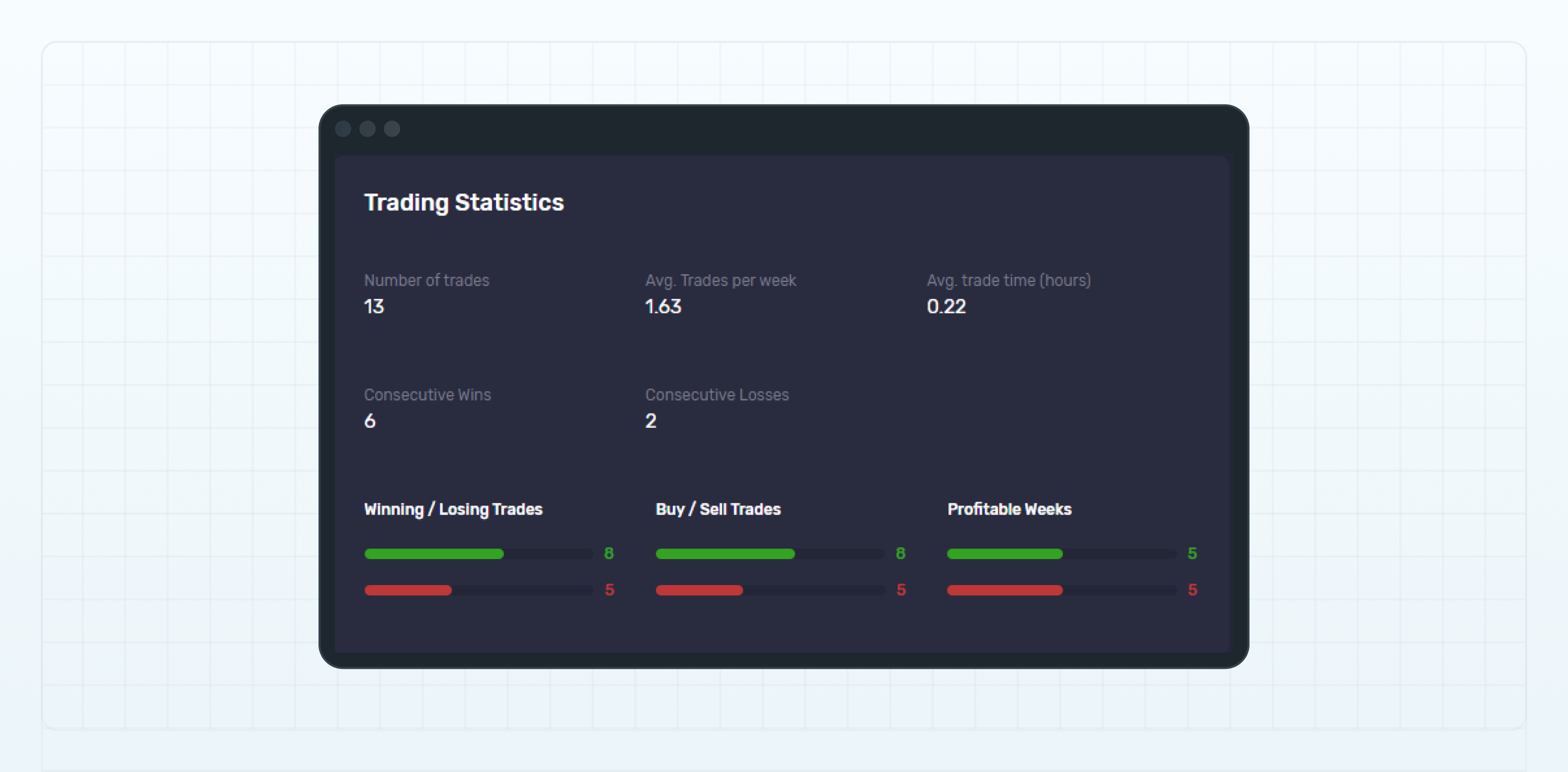
<figure><img src="https://1963181118-files.gitbook.io/~/files/v0/b/gitbook-x-prod.appspot.com/o/spaces%2FNxwcNnEuBTBq87kginPk%2Fuploads%2Fgit-blob-899d2b4e9c59e473e60d6f1c1e8047e4ff44a786%2Ffront-statistics-trading-statistics.png?alt=media" alt="Trading Statistics widget"><figcaption><p>Trading Statistics widget</p></figcaption></figure>

该模块显示以下交易统计信息：

#### 交易数量

账户中未平仓和已平仓头寸的总数。

***

#### 每周平均交易数量

账户每周的平均头寸数量。计算时同时包括未平仓和已平仓头寸。

***

#### 平均持仓时间

从开仓到平仓的平均时间，以小时为单位。该指标根据已平仓头寸计算。

***

#### 连续盈利次数

连续盈利的头寸数量。计算时同时考虑未平仓和已平仓头寸。

***

#### 连续亏损次数

连续亏损的头寸数量。计算时同时考虑未平仓和已平仓头寸。

***

#### 盈利/亏损交易

上方的绿色数值表示盈利头寸的数量，计算时同时包括未平仓和已平仓头寸。

下方的红色数值表示亏损头寸的数量，计算时同样包括未平仓和已平仓头寸。

已平仓头寸的盈亏根据其已实现盈亏计算，其中包括交易佣金。

未平仓头寸的盈亏根据开仓时计算的盈亏确定，其中包括开仓成交产生的交易佣金。

***

#### 买入/卖出交易

上方的绿色数值表示买入资产的未平仓和已平仓头寸数量。

下方的红色数值表示卖出资产的未平仓和已平仓头寸数量。

***

#### 盈利周数

上方的绿色数值表示盈利的周数。

下方的红色数值表示亏损的周数。

系统以星期一至星期日的完整自然周为计算周期。

### 已实现盈亏和最大单日盈利/亏损

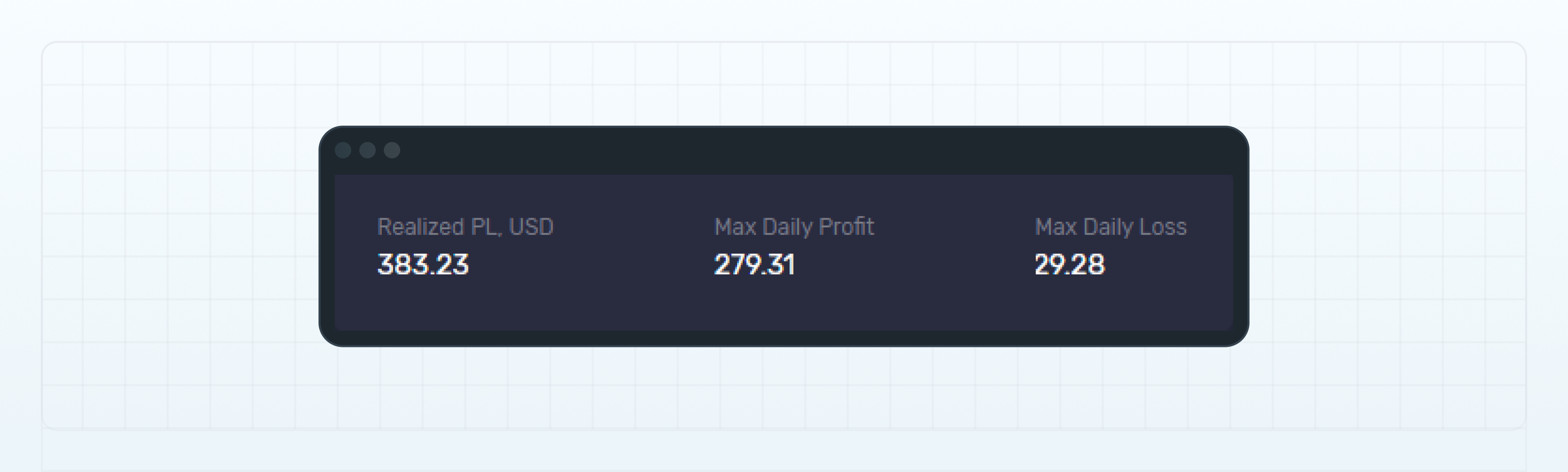
<figure><img src="https://1963181118-files.gitbook.io/~/files/v0/b/gitbook-x-prod.appspot.com/o/spaces%2FNxwcNnEuBTBq87kginPk%2Fuploads%2Fgit-blob-4daae4e909ec035510b3919b8533ead6f82b0172%2Ffront-statistics-max-daily-profit-loss.png?alt=media" alt="Max Daily Profit/Loss"><figcaption><p>Max Daily Profit/Loss</p></figcaption></figure>

**已实现盈亏（USD）**

根据已平仓头寸计算的已实现盈亏，以 USD 显示，其中包括交易佣金。

***

#### 最大单日盈利

账户历史上获得的最高单日盈利。

***

#### 最大单日亏损

账户历史上产生的最高单日亏损。

### 盈利因子

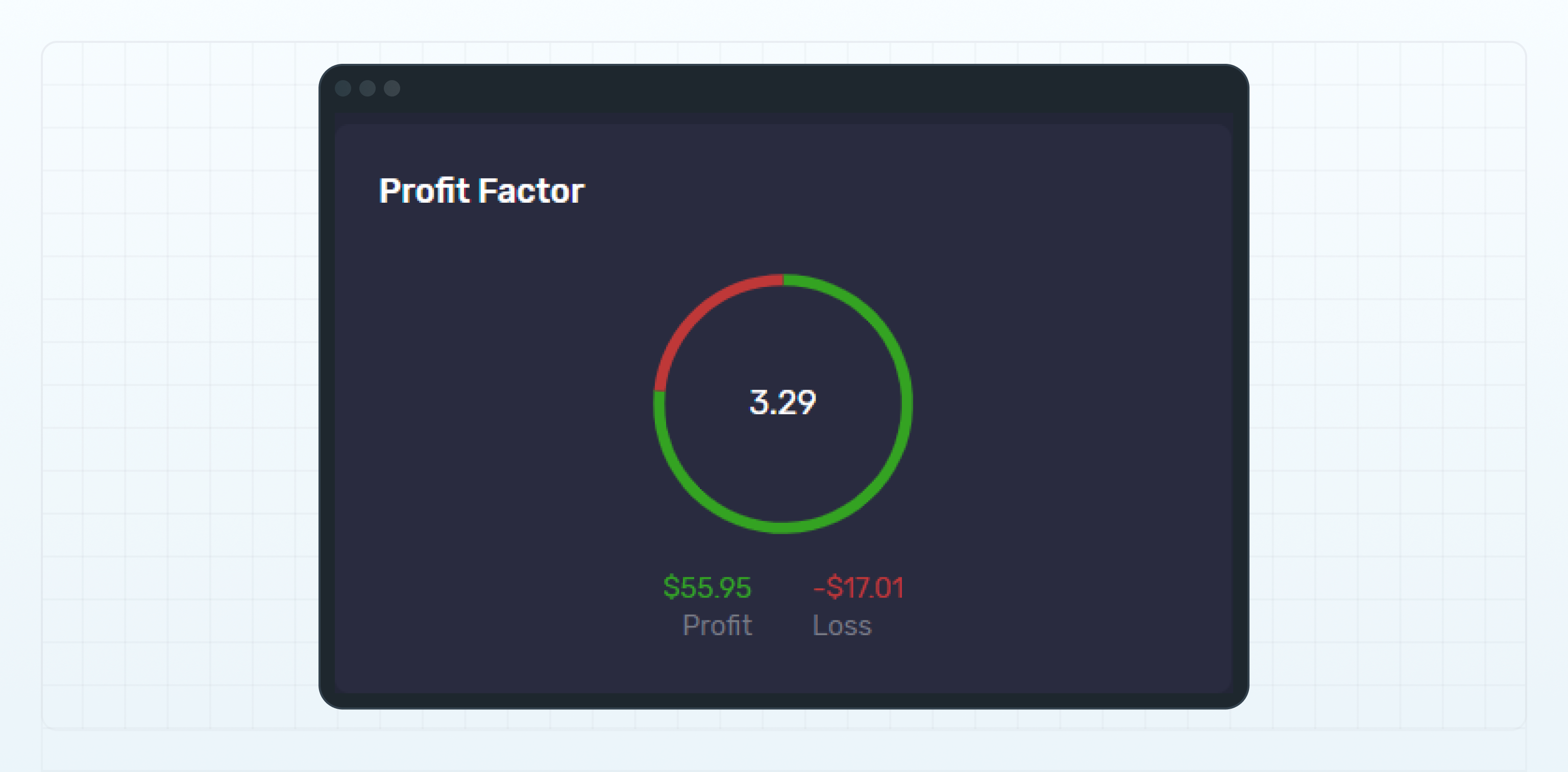
<figure><img src="https://1963181118-files.gitbook.io/~/files/v0/b/gitbook-x-prod.appspot.com/o/spaces%2FNxwcNnEuBTBq87kginPk%2Fuploads%2Fgit-blob-eef1c2d95d29d5b798d25a882f7e57d22b2b0c0f%2Ffront-statistics-profit-factor.png?alt=media" alt="Profit Factor widget"><figcaption><p>Profit Factor widget</p></figcaption></figure>

盈利因子等于账户的总盈利除以总亏损。

总盈利是所有已平仓盈利头寸所产生利润的总和。

总亏损是所有已平仓亏损头寸所产生亏损的总和。

### 交易历史

账户中已平仓头寸的列表。

有关详细信息，请参阅**交易报告**页面中的**已平仓头寸**选项卡。

### 未平仓头寸

账户中未平仓头寸的列表。

有关详细信息，请参阅**交易报告**页面中的**未平仓头寸**选项卡。


---

# Agent Instructions
This documentation is published with GitBook. GitBook is the documentation platform designed so that both humans and AI agents can read, navigate, and reason over technical content effectively. Learn more at gitbook.com.

## Querying This Documentation
If you need additional information that is not directly available in this page, you can query the documentation dynamically by asking a question.

Perform an HTTP GET request on the current page URL with the `ask` query parameter, and the optional `goal` query parameter:

```
GET https://lti.gitbook.io/user_guide/zh-cn/yong-hu-zhi-nan/zhang-hu-xiang-qing/tong-ji-ye-mian.md?ask=<question>&goal=<endgoal>
```

`ask` is the immediate question: it should be specific, self-contained, and written in natural language.
`goal` is optional and describes the broader end goal you are ultimately trying to accomplish on behalf of the user. GitBook uses it to tailor the answer towards what is most useful for that goal.

The response will contain a direct answer to the question and relevant excerpts and sources from the documentation.

Use this mechanism when the answer is not explicitly present in the current page, you need clarification or additional context, or you want to retrieve related documentation sections.