> For the complete documentation index, see [llms.txt](https://lti.gitbook.io/user_guide/llms.txt). Markdown versions of documentation pages are available by appending `.md` to page URLs; this page is available as [Markdown](https://lti.gitbook.io/user_guide/zh-cn/yong-hu-zhi-nan/guan-li-zhu-zhang-hu-he-tou-zi-zhang-hu/tian-jia-huo-geng-gai-zhang-hu-ming-cheng.md).
# 添加或更改账户名称
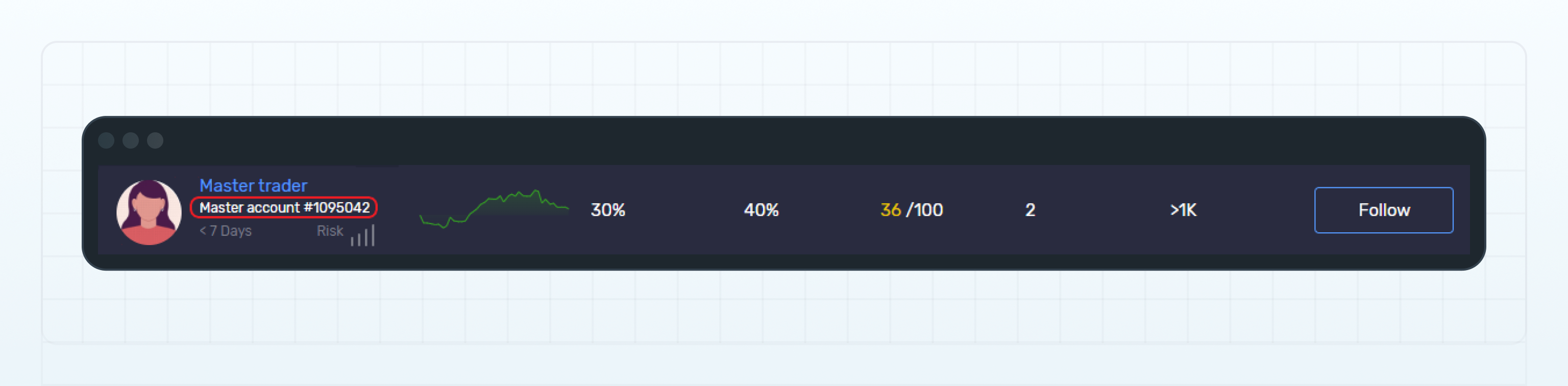
添加到主账户的名称会显示在 交易员排行榜(Leaderboard)及 Web UI 的其他页面中。
如果您没有为账户设置名称,系统将默认使用账户账号作为账户名称。
以下示例展示了主账户在**交易员排行榜**中显示时的账户名称。
交易员排行榜中显示的账户名称
{% endstep %}
{% step %}
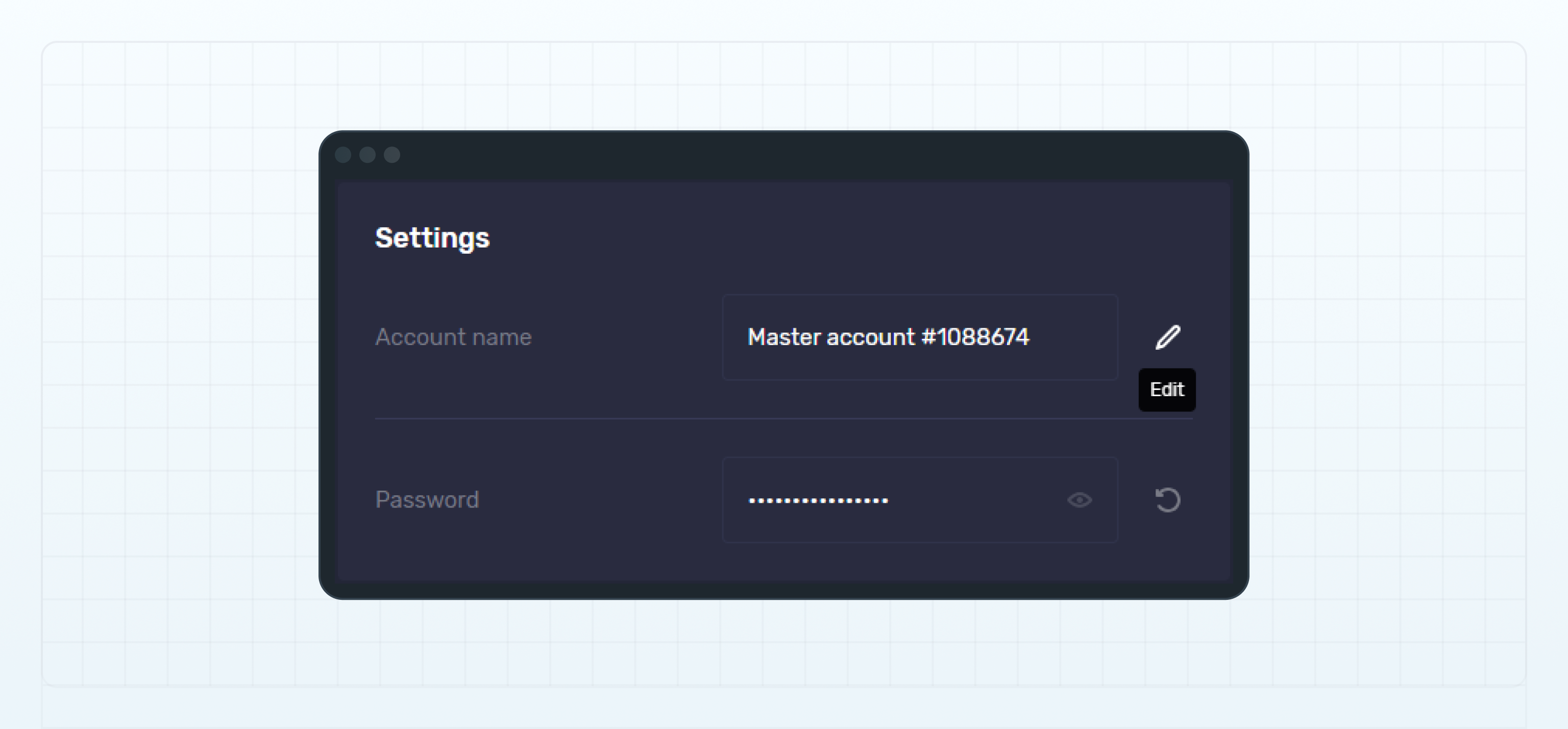
输入您希望使用的账户名称。
{% endstep %}
{% step %}
点击 保存(Save)以应用更改。
{% endstep %}
{% endstepper %}
---
# Agent Instructions
This documentation is published with GitBook. GitBook is the documentation platform designed so that both humans and AI agents can read, navigate, and reason over technical content effectively. Learn more at gitbook.com.
## Querying This Documentation
If you need additional information that is not directly available in this page, you can query the documentation dynamically by asking a question.
Perform an HTTP GET request on the current page URL with the `ask` query parameter, and the optional `goal` query parameter:
```
GET https://lti.gitbook.io/user_guide/zh-cn/yong-hu-zhi-nan/guan-li-zhu-zhang-hu-he-tou-zi-zhang-hu/tian-jia-huo-geng-gai-zhang-hu-ming-cheng.md?ask=&goal=
```
`ask` is the immediate question: it should be specific, self-contained, and written in natural language.
`goal` is optional and describes the broader end goal you are ultimately trying to accomplish on behalf of the user. GitBook uses it to tailor the answer towards what is most useful for that goal.
The response will contain a direct answer to the question and relevant excerpts and sources from the documentation.
Use this mechanism when the answer is not explicitly present in the current page, you need clarification or additional context, or you want to retrieve related documentation sections.